20 Etsy Listing Photo Infographics: Elevate Your Shop's Visuals
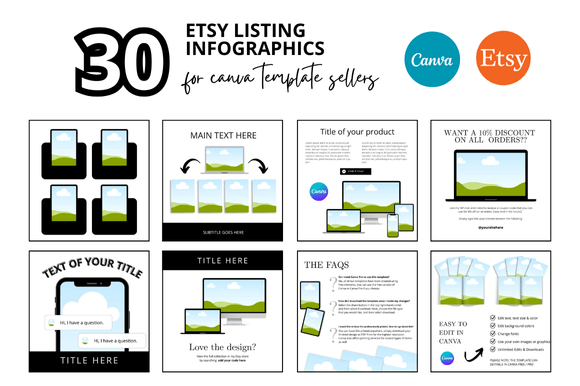
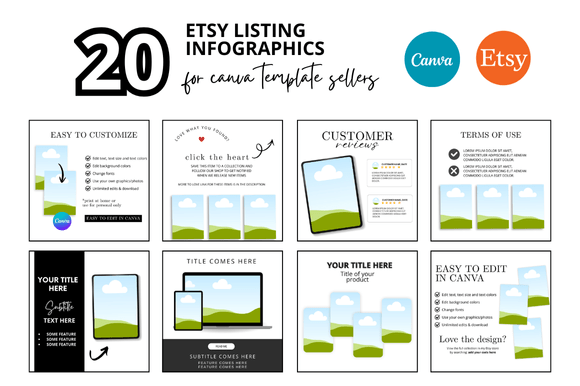
Running a successful Etsy shop is about more than just creating a great product. It's about presentation. In a sea of digital listings, your photos are your first and most important handshake with a potential customer. That's where the concept of 20 Etsy Listing Photo Infographics comes into play, offering a structured, professional way to showcase your items and communicate their value instantly.
More Than Just a Mockup: A Visual Strategy
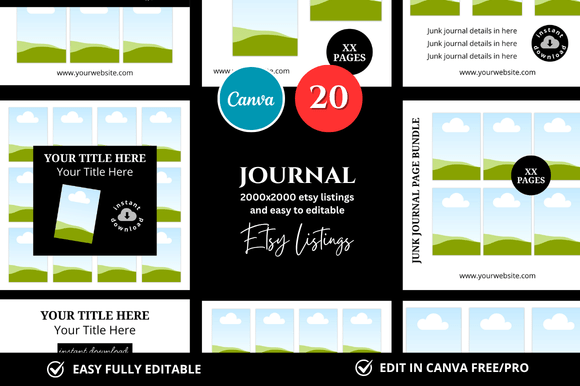
At its core, this collection is a set of Etsy Listing Photo Infographics designed within a clean, square 2000x2000 pixel format. Think of it as a pre-built visual framework. The personality is modern, minimalist, and incredibly versatile. It doesn't scream for attention with loud graphics; instead, it provides a calm, organized canvas that lets your product shine. The overall appeal lies in its professionalism—it instantly elevates the look of any digital or physical product, making your shop appear more established and trustworthy.
The style leans heavily on clean lines, ample white space, and a grid-based structure. This isn't a wild, artistic script font or a heavy, dramatic display font. It's a practical design asset. The infographics are built to guide the viewer's eye, using visual hierarchy to highlight key information like features, benefits, file formats, or usage instructions. This structured approach is a form of modern typography in action, where clarity and communication are the primary goals.
Where These Infographics Truly Work Best
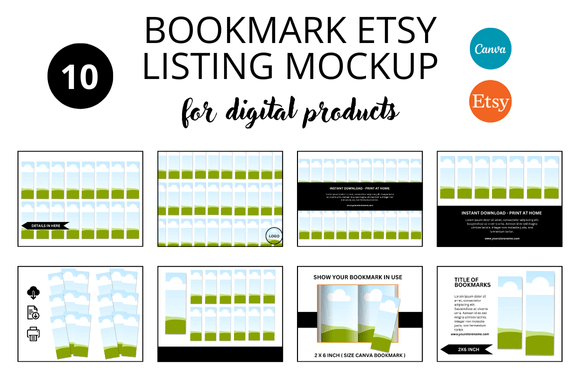
The strength of these Etsy Listing Photo Infographics lies in their adaptability. They are not a one-trick pony. For the digital seller, they are indispensable. Imagine selling Canva templates, social media graphics, or printable planners. You need to show the template in use, list the included files, and explain the customization process. These infographic mockups provide the perfect layout for that, turning a simple product image into a comprehensive sales tool.
For crafters and hobbyists selling physical goods, the value is just as high. Use the infographics to detail the dimensions of a handmade item, showcase the quality of materials, or create a "how-to" guide for assembly. A seller of custom jewelry could use one graphic to highlight the clasp type, another to show the gemstone options, and a third to present the packaging. This level of detail builds buyer confidence and reduces pre-purchase questions.
Even bloggers and content creators can repurpose this framework. Use the square mockups to create cohesive Pinterest graphics or Instagram carousel posts that break down a complex topic into digestible visual steps. The clean, professional look ensures your content looks polished across all platforms, strengthening your brand identity and visual consistency.
The Tangible Impact on Your Shop and Brand
Using a structured system like this directly influences how customers perceive your business. First, it establishes readability and visual hierarchy. A well-organized infographic with clear headings, icons, and text blocks is far easier to scan than a cluttered paragraph in a product description. Customers can find the information they need quickly, which improves their experience and your conversion rate.
Second, it fosters brand recognition and consistency. When every listing in your shop uses a similar visual language—the same clean frames, consistent spacing, and professional layout—you create a cohesive storefront. This consistency signals reliability and attention to detail, key components of a strong brand identity. Your shop begins to feel like a curated boutique rather than a random collection of items.
Finally, it saves you an incredible amount of time. Designing listing photos from scratch for every product is a significant time investment. These Canva mockups are an instant download, fully customizable, and ready to use. You simply drop in your product images and edit the text. This efficiency allows you to focus more energy on creating and marketing, which is the real engine of your business.
Practical Guidance for Implementation
When integrating these Etsy Listing Photo Infographics, start by evaluating your product. What are the key selling points? What information do customers frequently ask for? Use the infographics to answer those questions visually before they're even asked. Test different layouts. A feature-benefit breakdown might work best for one product, while a step-by-step usage guide might be more effective for another.
Pay attention to font pairing within the Canva templates. While the structure is set, you'll likely be adding your own text. Choose clean, readable sans-serif fonts for body text and perhaps a simple serif font or a subtle script font for headings to add a touch of personality without sacrificing clarity. Ensure the text color has sufficient contrast against the background for easy reading on all devices.
Remember, these are tools to enhance your story, not replace it. The best listings combine these professional graphics with high-quality, well-lit product photography. Use the infographics to complement your main images, providing the detailed context that moves a shopper from curiosity to confidence. By adopting this system, you're not just buying a template; you're investing in a more professional, efficient, and visually compelling way to present your work to the world.